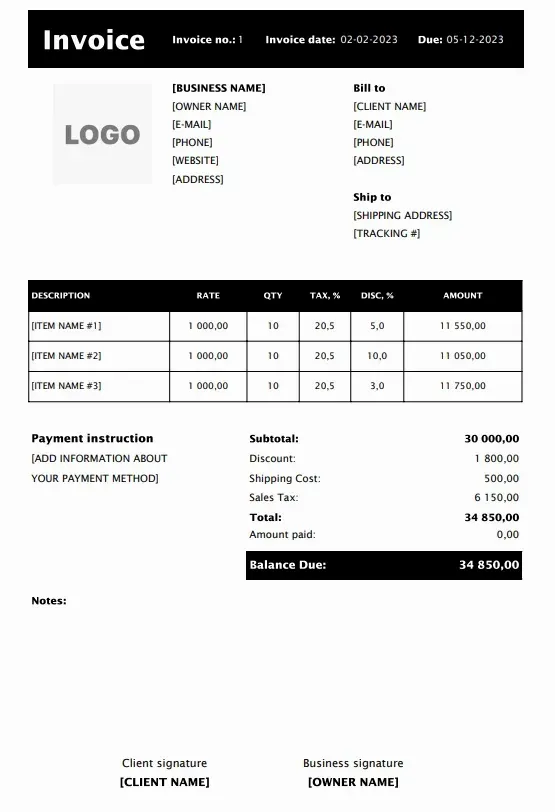
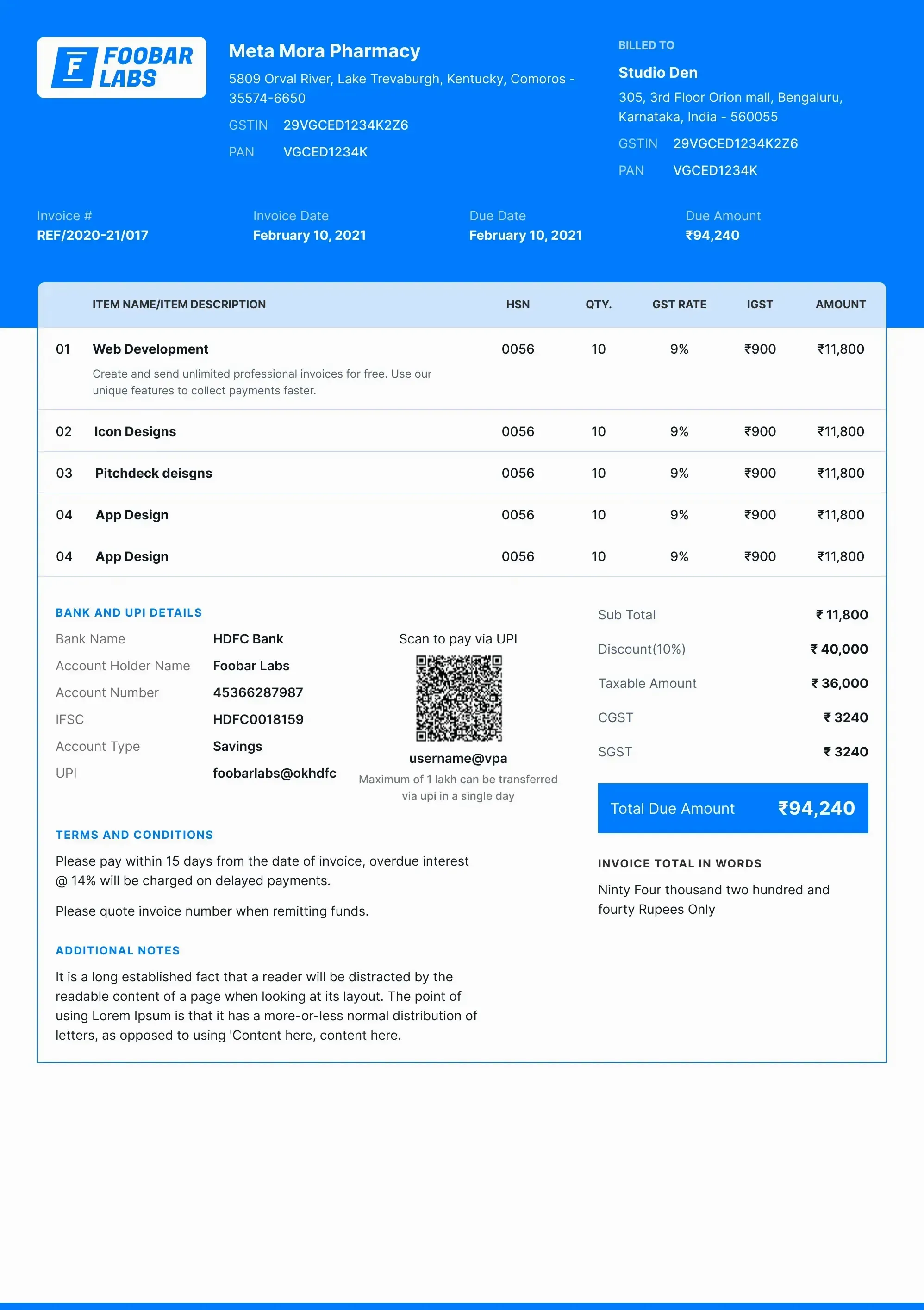
Free Invoice Format & Templates

Download Refrens free and easy-to-use invoice templates available in Word, Excel and PDF formats. To create customized and branded professional invoice checkout our online invoice generator.

Invoice Templates with color blue, green and purple
Our Users Rate Refrens Invoice⭐ 4.8/5 based on 11700+ Ratings

Customizable Invoice Template (Add invoice details, customize the template, and download the PDF.)

1
Add Invoice Details
2
Design & Share (optional)
Invoice Form
1
Add Invoice Details
2
Design & Share (optional)

Invoice Format in Word

Download free invoice templates in Word format
Invoice Format
Invoice Format
Bill Template
Bill Template
Invoice Template
Invoice Template
Online Invoice Template

Invoice Format in Excel

Download free invoice templates in Excel format
Invoice Template Download
Invoice Format with Bank Details
Invoice Format
Invoice Format
Free Invoice Template
Use the Best Invoice Format to Create Invoice Now!Create Invoice Now

Key Features of Free Invoice Templates

Custom Fields
Custom FieldsCustomize your invoice templates with additional fields like shipping details, discounts, and extra charges for a more tailored invoice format.
Client and Products
Client and Product DetailsAdd custom fields for client information and detailed product or service line items, enhancing your invoice's clarity and professionalism.
Easy-Customisation
Easy CustomizationEffortlessly tailor our online invoice templates to fit your business needs without any hassle, ensuring a seamless invoicing process.
Download & Print
Download and PrintEasily download your invoice templates in PDF, Word, and Excel formats for offline use and convenient printing.
Multiple Formats
Multiple FormatsAccess professionally designed online invoice templates in various formats, including PDF, Word, and Excel, for greater flexibility.
Professional Design
Professional DesignsChoose from a variety of invoice templates designed to match your brand’s look and feel.
User Friendly Interface
User-Friendly InterfaceQuickly generate invoices with a simple and intuitive interface that makes the process efficient and smooth.
Automated Calculations
Automated CalculationsSave time with our free online invoice templates that automatically calculate totals, taxes, and discounts for you.
Save and Send
Save and SendEasily save your invoices and send them directly to clients via email with our free online invoicing tool.
Tax Calculation
Tax CalculationAutomatically apply and calculate various tax rates with our free invoice templates, simplifying your tax management.
Payment Terms
Payment TermsClearly define payment terms and due dates on your invoices, ensuring clients understand their obligations.
Multi Currency Support
Multi-Currency SupportCreate invoices in different currencies for international clients with our free online invoice templates, streamlining global transactions.
Brand Customisations
Brand CustomizationAdd your company logo and brand colors to personalize your invoices and reflect your unique identity.
Project Based Billing
Project-Based BillingInclude project names and descriptions on your invoices for easy reference and organization, ensuring clarity.
Expense Tracking
Expense TrackingItemize and track expenses related to specific projects or clients using our free online invoice templates, keeping your billing detailed.
Signature Fields
Signature FieldsAdd fields for signatures to authorize and validate your invoices, giving them a professional touch.
Online Accessibility
Online AccessibilityManage and create invoices from anywhere with internet access, ensuring you stay organized and productive on the go.
Real Time Collaboration
Real-Time CollaborationShare and collaborate on invoices with team members in real-time using our free online invoicing generator, enhancing efficiency.
Invoice History
Invoice HistoryMaintain a history of all invoices sent, allowing you to track their status and manage your accounts effectively.
Backup and Restore
Backup and RestoreEasily backup and restore invoice data to prevent the loss of important information, ensuring data security.
Client Database
Client DatabaseKeep a client database for quick access to client information and past invoices, improving your workflow and efficiency.
Mobile Compatibility
Mobile CompatibilityCreate and manage invoices on-the-go with our mobile-friendly templates, ensuring you can work from anywhere.
Custom Notes
Custom NotesAdd personalized notes and messages to clients directly on the invoices, making communication clear and tailored to each client.
Chat Support
24/7 Live AssistanceAlways available, our email and live chat support ensures any issue with your invoice template is quickly addressed. Enjoy uninterrupted business operations with our dedicated round-the-clock assistance.

Special Purpose Invoice Templates

Refrens offers invoice templates for every major profession and business type in India. The platform helps freelancers, agencies, traders, contractors, and service providers create accurate invoices in a few minutes. The templates follow standard formats that Indian clients, accountants, and GST systems accept.

Refrens supports industry use cases that need clear item descriptions, tax details, payment terms, and structured billing formats. Each template helps the user insert the right fields without any confusion. The templates also help the user download invoices in PDF, Word, or Excel.

Below is the list of special purpose invoice templates that Indian businesses use on Refrens.

GST Invoice Templates - GST invoice templates are the most common invoice formats used in India. Every business that registers under GST must issue GST invoices for all taxable sales. This rule applies even when the buyer does not have a GST number. The seller must issue a proper GST invoice for every sale because the invoice acts as the primary proof for tax reporting.

A GST-registered SMEs, enterprise, consultant, or solopreneur must also issue GST invoices. It does not matter if the business is small or if the client is an individual. The GST invoice helps the user record taxes correctly, claim input tax credit, and file returns without errors. Refrens GST billing software guides the user to fill in fields like GSTIN, HSN or SAC code, tax rate, tax amount, and place of supply.

A GST invoice template helps the user:

  • Add accurate tax details for each item or service

  • Calculate CGST, SGST, or IGST automatically

  • Show GSTIN for both seller and buyer

  • Add HSN or SAC codes without confusion

  • Maintain clean records for monthly or quarterly filing

  • Download the invoice in PDF, Word, or Excel

Freelance Invoice Templates - Freelancers deal with many tasks, and invoicing often takes the most time. A freelance marketer, designer, developer, writer, or solo agency owner must create invoices that match their brand and show work clearly. Creating these invoices from scratch in Word or Excel becomes slow and confusing because the user must design layouts, set formulas, and calculate totals manually.

Refrens offers free freelance invoice templates to solve this problem. The templates include fully customizable fields, so the user can add project details, hourly rates, deliverables, and tax information without editing the structure. The design looks clean and professional, which helps the freelancer present work with confidence.

Refrens also adds automation and payment features that freelancers use every day:

- Send and track invoices: The user can see when clients open the invoice and when they pay.

- Accept payments online: The client can pay through secure online methods, which reduces delays.

- Payment reminders: The system sends reminders through email and WhatsApp, so the freelancer does not need to follow up manually.

- Recurring invoices: Freelancers with retainers can create recurring invoices that send automatically.

- Early Pay Discount: The freelancer can set a discount for clients who pay on time. This feature improves cash flow and encourages quick payments.

Construction Invoice Templates - Construction businesses handle complex projects, and the billing structure reflects that complexity. A construction invoice is not a simple document where a user adds quantity and rate. It includes material costs, labor charges, equipment usage, subcontractor fees, taxes, and multiple on-site expenses. Each line item follows a different pattern, which makes it difficult to design a proper invoice in Word or Excel.

Most generic invoice tools do not support these detailed fields. They also do not allow users to add multiple sections for materials, labor categories, machine hours, or subcontractor billing. As a result, contractors struggle to adjust templates, apply formulas, and maintain accuracy.

Refrens created construction invoice templates after consulting with contractors, civil work firms, project managers, and site supervisors. The design includes all the fields a construction business needs. Users can add detailed item lists, unit costs, tax rates, and site-level charges without adjusting the structure.

All fields are fully customizable. The user can add or remove sections, modify rates, and apply custom formulas based on their billing style. This flexibility helps construction companies create accurate invoices, manage site expenses, and present clear cost summaries to clients.

Sales Invoice Templates - A sales invoice confirms that a sale has taken place. It acts as official proof that the business delivered a product or service and the customer now owes the payment. This makes the sales invoice an essential document for recordkeeping, tax compliance, and smooth cash flow.

Refrens offers multiple sales invoice templates that suit both service-based and product-based businesses. Users can change colors, add a letterhead, edit the footer, and include a company stamp or signature. These customization options help maintain brand identity while keeping the invoice professional.

The template supports all key fields required in a sales invoice, including item details, quantity, rate, tax structure, and payment terms. Once the invoice is ready, users can share it with clients, track the status, and follow up for payments without switching tools. The system supports online payments, automated reminders, and real-time tracking, which helps businesses reduce delays and manage receivables more efficiently.

Medical Bill Format - A medical bill format is more complex than a standard invoice because it must stay linked with inventory software. Medical stores, pharmacies, wholesalers, and distributors must update stock every time a product is sold. Accurate billing directly affects inventory, tax reporting, and compliance.

Refrens offers a medical invoice template that connects billing with inventory. The interface is simple and easy to use, so you can create bills quickly without handling multiple tools. The template updates stock levels as soon as you add medicines or medical supplies to the bill. This keeps your inventory accurate and prevents overstocking or running out of essential items.

Users can edit all fields, add batch numbers, expiry dates, and apply tax rates correctly. The template reduces clutter and gives a clean view of items, quantities, and rates so you can complete each sale smoothly. You also get online sharing, payment tracking, and digital recordkeeping for better operations.

Hotel Bill Format - A hotel bill format works very differently from a standard invoice. Hotels need more than just item, quantity, and rate. They need a structured bill that captures the complete guest stay. This includes check-in and check-out dates, room type, room charges, food and beverage items, service fees, and all applicable taxes. Every line must be clear because it affects the final settlement and the guest experience.

Refrens offers a hotel invoice template creation of GST-compliant invoices that supports all these details. You can edit every field, add custom sections, and structure the bill exactly the way your hotel operates. The template lets you list room charges, add extra services, include food bills, and apply taxes correctly. You get a clean and organized layout that makes the bill easy to read for both staff and guests.

Hotels also deal with a large number of daily expenses. Refrens helps you record these expenses along with invoices. This gives you a complete view of your accounts without using multiple tools. It makes billing faster, improves accuracy, and reduces the chances of errors at checkout.

Jewellery Bill Template - A jewellery bill is far more detailed than a normal invoice. Every item needs a clear description because customers expect full transparency about what they are buying and how the final price is calculated. This makes a customizable jewellery bill template essential for any jewellery store, wholesaler, or goldsmith.

A jewellery invoice needs specific fields that do not exist in standard invoice templates. These include gross weight, wastage charges, making charges, net weight, purity, stone details, and the final price after discounts. Each value affects the total amount, so the bill must be structured properly to avoid confusion.

Refrens offers a professional jewellery bill format that covers all these details. You can edit every field based on the product type, material purity, pricing logic, and billing style. The layout keeps every cost visible so clients can clearly understand what they are paying for. This builds trust and reduces back-and-forth communication during billing.

The template also supports automatic calculations for weights, charges, and taxes. It saves time, reduces errors, and makes the billing experience smooth for both the store and the customer.

Cash Memo Format - A cash memo is useful when the customer pays you on the spot. Many small businesses create an invoice and wait for the client to pay later. But if the customer pays immediately, you need a cash memo instead of a standard invoice. It works as proof that the cash transaction is complete.

A cash memo contains the same basic details you see in a regular invoice like item details, quantity, rate, tax, and total amount. The only key difference is the payment status. The cash memo clearly shows PAID so both the business and the customer have a clear record of the completed transaction.

Refrens provides an easy-to-use cash memo format that is simple, clean, and ready for use. You can edit every field, add your business details, and generate the memo instantly. It is especially helpful for retail shops, service providers, pharmacies, and small businesses that deal with walk-in customers. It confirms payment, avoids confusion, and keeps your records organised without any manual effort.

Quotation Format - A quotation template is the first document you send to a potential customer. It sets the tone for the entire deal. A clean and professional quote can help you win the project, while a dull or confusing one can push the client away. That is why your quotation format matters more than most people assume.

Every business needs a branded and well-structured quotation. It shows that you take your work seriously, understand the client’s requirements, and can communicate your pricing clearly. Refrens helps you do exactly that.

With Refrens quotation maker, you can create a quotation for free with proper branding, clear layout, and complete customization. You can add your logo, choose your design, update the line items, and send a professional quote within minutes. It saves time, reduces errors, and helps you present your business in the best way possible. It works well for freelancers, agencies, construction companies, interior designers, event planners, and any business that shares price estimates before starting work.

Features of Free Invoice Templates

  1. Customizable Invoice - Add and edit multiple fields and columns such as an address, contact information, product description.

  2. Brand Your Template - Select an invoice template that suits your business nature and stands out from your competitors. Customize your invoice format by adding a logo and signature.

  3. Use Magic Color - Choose the most suitable color from your logo and make the invoice look professional. Multiple fonts are supported.

  4. Special Purpose Templates - Invoice templates like professional invoice template, letterhead format, business invoice format, print-friendly templates. All for free.

  5. Manage and Send Invoices - Manage all your invoices in one place. Download as PDF, Print, Email, or share via WhatsApp.

  6. Easy Access Anywhere - Easy to use dashboard for mobile and desktop. Get email alerts in real-time.

Thousands of businesses around the world trusts our Invoice template

Aniket - Refrens Invoice Software User
Tally was too complicated for me. Zoho? too expensive. Refrens just hits that right sweet spot - It’s simple, It’s feature-rich, and it’s value for money.
AniketOwner, Spaceplexx, Coworking Space
Snehal
As a growing company, we needed a bill generator that could keep up with our pace—and Refrens delivers. It’s intuitive to use, offers powerful features like GST support and payment tracking, and ensures we stay on top of our receivables. It’s much more than a basic invoice maker.
Snehal BhattOwner, Nexait LLC, Agency
Nayan
Collecting USD payments was always a headache. With Refrens' online invoicing software, it’s a breeze.
NayanFounder, Sugoi Labs, Software Services Agency
Linkee
As a freelancer, Refrens' free invoicing software has been a blessing. Pretty smooth & easy to use.
LinkeeFreelancer, Content Writer

What invoice formats can you download (Word, Excel, PDF)?

Refrens provides invoice templates in Word, Excel, and PDF formats. These are the most common formats used by freelancers, small businesses, and service providers, so you can pick the one that fits your workflow.

PDF Invoice Format

You can create and download PDF invoices directly from Refrens. The template is not a static file. You create the invoice online, customize it based on your brand, and download it once everything looks perfect.

You can change the color, layout, letterhead, font size, and even the heading style. After you save the invoice, you do not need to start again for the next one. Refrens invoicing software automatically stores your invoice format, so you can reuse it anytime. This helps you save time and improves your overall efficiency.

Word and Excel Invoice Templates

If you prefer offline editing, Refrens offers ready-to-use invoice templates in Word and Excel formats. You can download them directly from the website without creating an account. Pick a template that matches your business style, download it in your preferred format, and edit it on your system.

Once edited, you can share the invoice with your client in the same format or export it as a PDF from your device.

These options give you complete flexibility. You can create invoices online, store them on the cloud, or work offline using Word or Excel.

Why do businesses prefer editable invoice templates?

Businesses prefer editable invoice templates because they save time, reduce effort, and remove the need to design an invoice from scratch. Instead of dealing with Word or Excel layouts, you can use an editable template on Refrens and create invoices in minutes.

Editable invoice templates let you add only the details that matter. You update the invoice number, date, client information, item list, tax rate, discounts, and terms. The template handles the structure and calculations. This makes the entire process simple and accurate.

Another major reason is storage. When you use editable templates on Refrens, your invoices stay in the cloud. You do not need to search your desktop during tax filing or when a client asks for an old invoice. Everything is stored, organised, and easy to access.

Editable templates also help you track your workflow. You can check the invoice status, record payments, send reminders, and follow up without manual effort. This makes it easier to manage cash flow, especially for freelancers and small businesses. Because of these benefits, editable invoice templates are far better than offline Word or Excel files.

Sample Invoice Format

How do industry-specific invoice templates help you avoid errors?

Industry-specific invoice templates help you avoid errors because every business works differently and needs different fields, calculations, and formats. A generic invoice may look fine, but it often leads to mistakes when the structure does not match the industry workflow.

For example, a freelancer needs sections for hourly rates, project descriptions, milestones, and retainers. A construction business needs itemized materials, labour charges, equipment costs, subcontractor fees, and tax variations. A hotel needs fields for check-in, check-out, room type, food charges, and service fees. A medical business needs inventory-linked billing with batch numbers and stock adjustments.

Trying to create these formats from scratch in Word or Excel increases the chances of missing fields, adding wrong formulas, or presenting unclear information to clients. This leads to calculation errors, compliance issues, and delays in payment.

This is why Refrens creates industry-specific invoice templates. Each template includes the exact fields that your industry uses every day. You only fill the details, and the template handles the structure and calculations. This helps you avoid:

  • Wrong tax calculations

  • Missing line items

  • Incorrect totals

  • Formatting issues

  • Manual formula errors

  • Mismatched fields that confuse clients

Refrens invoice templates support all businesses and professions. But industries that need maximum customization get the most benefit, such as freelancers, construction companies, hotels, medical and pharmacy businesses, and other service-heavy sectors.

Why should you switch from manual invoice templates to an online invoice generator?

Manual invoice templates in Word or Excel look simple at first. But once your business grows, these templates start slowing you down. You spend more time editing, fixing formulas, searching for old invoices, and correcting mistakes. This is where an online invoice generator like Refrens makes a big difference. It saves time, reduces errors, and helps you manage your entire invoicing process smoothly.

Here is why switching to an online invoice generator is a smart move for any business:

  1. Refrens gives you a ready-to-use invoice format. You only fill the details and save hours of manual work.

  2. You send invoices in one click without downloading and attaching files every time.

  3. You see all your invoices with status updates like sent, opened, overdue, or paid.

  4. Refrens sends reminders to clients automatically so you do not follow up manually.

  5. Refrens shows delivery and view status so you know exactly when the client checked your invoice.

  6. Clients pay through UPI, cards, net banking, or international methods. Payments settle faster.

  7. You convert an accepted quotation into an invoice without starting again.

  8. Every invoice stays recorded in the system which helps you during monthly and yearly tax filing.

  9. Retainer clients get invoices automatically every month with recurring invoice features.

  10. You share invoices via email, WhatsApp, or a link.

  11. You can schedule invoices to send later.

  12. Refrens handles repetitive tasks so you focus on work that matters.

  13. You can connect your invoicing with your sales CRM and payment gateways for a smoother workflow.

  14. You can create invoices for international clients in multiple currencies.

  15. You can record expenses and link them with projects for clean bookkeeping.

  16. Refrens gives you a dashboard that shows your cash flow, overdue invoices, top clients, and monthly invoicing trends. You check all your tax reports in one place without searching through files.

Why do Excel invoice templates work best for item-heavy billing?

Excel invoice templates work best for item-heavy billing because Excel handles large lists and complex calculations with speed and accuracy. Excel processes formulas without errors, so you can manage long item tables with quantity, rate, discounts, taxes, and totals in one place.

Excel fits businesses that deal with long item lists. Construction companies add materials, labour, machinery, and service items. Medical businesses add medicines, tests, and consumables. Contractors add site tasks, materials, and variable charges. Interior designers add furniture, fixtures, and design services. These businesses update item lists often, so Excel makes the process simple.

Excel also gives full control. You can sort items, filter categories, add new rows, link sheets, and apply formulas like SUM, IF, VLOOKUP, and GST calculations. You can adjust formats, branding, and item structures without relying on fixed layouts.

How do Word invoice templates improve readability and branding?

Word invoice templates improve readability and branding because Word focuses on clean text layout and visual presentation. Word gives you better control over fonts, spacing, alignment, colours, and overall design, so your invoice looks polished and consistent with your brand.

Word supports text-heavy invoices. You can highlight business details, add clear section headers, insert branding elements, and structure the document in a neat and easy-to-read format. This helps you build trust and present your business with clarity.

Businesses that prioritise presentation choose Word templates. Service providers, consultants, freelancers, designers, and agencies prefer Word because they want the invoice to reflect their brand identity. Word lets you adjust margins, place logos, add signatures, include terms, and arrange information in a visually pleasing layout.

The only limitation is that Word cannot handle complex calculations. You can add formulas, but you need strong familiarity with Word to use them properly. Excel still works better if your invoice requires automated totals, taxes, or item-heavy billing.

How do PDF invoice templates help you maintain document security?

PDF invoice templates help you maintain document security because PDFs are harder to edit than Word or Excel files. A PDF locks the structure and layout of the invoice, so the content stays intact even when the file is shared multiple times. Most edits require paid tools or advanced skills, which reduces the chance of accidental or unauthorised changes.

PDFs also work well across devices. The file looks the same on laptops, mobiles, and tablets, which prevents format issues or accidental data changes during sharing. This makes PDFs a reliable choice when you need a stable, read-only copy of your invoice.

However, PDFs still have limits. You need a separate tool or app to make any edits, and this slows down your workflow. Manual edits in PDF also increase the chance of duplication errors or missing fields.

If you want stronger security and smoother invoicing, it is better to switch to a full invoicing tool like Refrens. Refrens stores your invoices safely, prevents tampering, and follows ISO-certified security standards. You also get payment tracking, reminders, multi-currency support, and other features that PDFs cannot offer.

Why use Refrens cloud accounting software?

Refrens cloud accounting software gives you more control, more accuracy, and more speed than manual invoice templates or offline tools like Word and Excel. Businesses prefer Refrens because it removes the effort of handling invoices across multiple files, folders, and devices. You work faster, organise your records better, and reduce the risk of errors that usually happen with manual invoice creation.

Refrens stores all your invoices, clients, payments, and reports in one place. You do not search for files during audits or tax filing. You open your dashboard and find everything sorted by date, status, client, or tax rate. This saves time for accountants, founders, freelancers, and teams who want clean and reliable financial data.

Refrens also improve your cash flow. You track whether the client received the invoice, opened the invoice, or ignored it. You schedule automatic payment reminders so clients do not delay payments. You accept payments online, record them instantly, and keep your books updated without manual work.

You also get full flexibility. You can create invoices for domestic or international clients, use multi-currency billing, convert invoices to other documents, manage recurring invoices, and connect Refrens with your CRM and payment gateways. These features reduce effort for item-heavy businesses, service providers, contractors, and freelancers who handle frequent billing.

Your data stays safe because Refrens follows strict security standards and keeps everything on the cloud. You do not risk file loss, file corruption, or device failure. You access your invoices from any device and continue your work without disruptions.

Frequently Asked Questions (FAQ)

Yes, you can add a logo to the invoice and can also change the color of your invoice template, matching your logo.

Yes, Refrens invoice templates are customizable. You can add additional fields or columns like shipping details, discounts, additional charges, custom fields for both client and product or service line item.

Yes. You can easily download it in PDF format or can click on the print option and can save as PDF.

You can create 15 documents on Refrens for absolutely free. Once the threshold of 15 documents is reached, you can buy our premium plans to keep continue creating the documents.

Creating an account on Refrens is necessary to use the free invoice templates. After signing up, you can access all the invoices in one place which makes managing your business invoices a lot easier.

Payment Options


Made with and in Bengaluru.

Refrens Internet Pvt. Ltd. | All Rights Reserved
This site is protected by reCAPTCHA and the Google Privacy Policy and Terms of Service apply.
Refrens ISO Certificate